A dashboard is a central control panel for your freelance business. It consolidates key information and tools into one screen for easy management.
What is Dashboard?
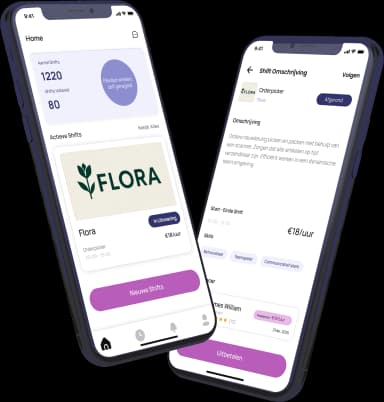
A dashboard is a single-screen interface that displays the most important information about your freelance work. It acts as your central command center. You can think of it as the homepage for your business operations, giving you a quick overview of your current status.
Why is this important?
For freelancers, a dashboard is crucial for organization and efficiency. It saves you from constantly switching between apps, emails, and spreadsheets. Having all your key data in one place helps you make faster decisions and provides a clear picture of your business health at a glance.
How does it work?
Dashboards pull data from different sources, like your project management tool, invoicing software, and calendar. They present this data through visual widgets like charts, graphs, and lists. You can typically see active projects, pending payments, recent messages, and upcoming deadlines all from the main view.
Pros and cons
The main advantages are improved organization, time savings, and better oversight. Potential downsides include information overload if not designed well, and the initial setup time required to connect all your tools to a custom dashboard.
Conclusion
A well-organized dashboard is a powerful tool for any freelancer. It streamlines your workflow and gives you control over your business data. Investing time in setting one up can significantly boost your productivity and reduce administrative stress.
Ready to freelance?
Download the HFS Freelancers app and discover flexible shifts in your area. Or explore more terms in our knowledge base.